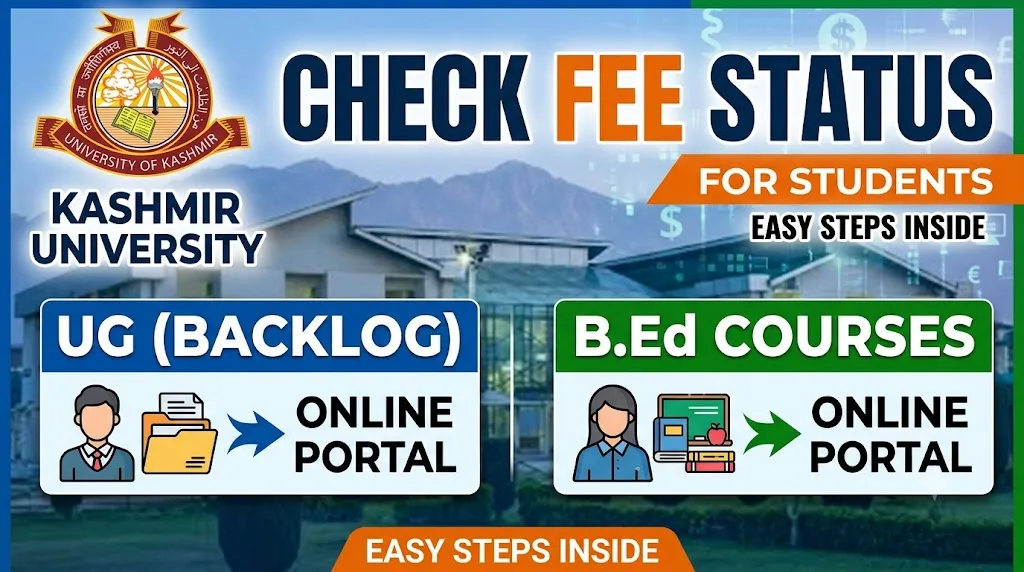
Every exam season, thousands of students enrolled in the University of Kashmir’s UG Backlog and B.Ed programmes find themselves asking the same question: “Has my exam fee actually been received by the university?” It is a fair worry. Form submission and fee payment for backlog examinations often happen in a rush, close to deadlines, and a single technical glitch or a missed confirmation step can leave a student unsure whether they are actually eligible to sit for their exam.
This guide walks you through the entire process of checking your fee status for UG Backlog and B.Ed courses at Kashmir University. We will cover where to check it, what the different status messages mean, what to do if your payment shows as pending or failed, and how to avoid the most common mistakes students make during this process. The goal is simple: by the end of this article, you should feel confident navigating the university’s online system without having to guess your way through it.
This information has been compiled by cross-referencing the university’s official examination portal structure and commonly reported student experiences, and it is updated periodically to reflect changes in the portal layout or fee process.
Why Checking Fee Status Matters
Before getting into the “how,” it helps to understand the “why.” Kashmir University, like most large public universities, processes thousands of backlog and B.Ed exam fee transactions every semester. With that volume, occasional mismatches between payment and record updates are bound to happen.
A few reasons fee status verification is genuinely important:
- Admit cards are often linked to fee confirmation. If your payment isn’t reflected, your admit card may get delayed or withheld.
- Bank or gateway errors are common. Money can be debited from your account without the university’s system registering it instantly.
- Backlog students juggle multiple semesters. It’s easy to lose track of which paper’s fee was paid and which wasn’t, especially when clearing several backlog papers together.
- B.Ed students often pay through batch-wise college submissions, which adds another layer where errors can creep in.
Catching a fee issue early, ideally a week or more before your exam, gives you enough time to resolve it through the help desk rather than scrambling on the day of your paper.
Where to Check Fee Status
Kashmir University manages its examination-related services, including fee status and form submission records, through its official e-governance portal, commonly accessed at egov.uok.edu.in. This portal is separate from the university’s main informational website (kashmiruniversity.net) and is specifically built for exam forms, fee receipts, results, and academic records.
Step-by-Step Process
- Open the official portal. Go to the University of Kashmir’s e-governance examination section through egov.uok.edu.in.
- Locate the relevant section. Look for links related to “Exam Form,” “Fee Status,” or “Backlog Form” depending on your course category (UG Backlog or B.Ed).
- Select your course and category. Choose whether you are checking status for a UG backlog paper or a B.Ed semester.
- Enter your credentials. This typically includes your registration number, roll number, or enrollment number, along with your date of birth in some cases.
- Submit and view your status. The portal will display whether your fee payment is recorded as successful, pending, or not received.
- Download or screenshot the confirmation. Once your status shows as paid, save a copy of the receipt or confirmation page for your own records.
What You’ll Typically Need on Hand
| Detail Required | Why It’s Needed |
|---|---|
| Registration Number | Primary identifier linked to your academic record |
| Roll Number | Used to match exam form and fee entries |
| Date of Birth | Often required as a secondary verification field |
| Transaction ID / Receipt Number | Helps resolve disputes if status shows incorrectly |
| Registered Mobile Number or Email | Needed if OTP verification is part of the login |
Keeping these details ready before you start saves you from repeated login attempts, which can sometimes trigger temporary account locks on university portals.
Understanding Different Fee Status Messages
Once you check your status, you’ll usually see one of a few standard messages. Here’s what each generally means and what action, if any, you should take.
| Status Shown | What It Means | Recommended Action |
|---|---|---|
| Fee Paid / Successful | Payment has been received and recorded | No action needed; keep the receipt safe |
| Pending | Payment initiated but not yet confirmed | Wait 24–48 hours, then recheck |
| Not Received | No payment record found against your ID | Verify with your bank, then contact the exam section |
| Failed | Transaction did not complete successfully | Reattempt payment through the correct gateway link |
| Form Submitted, Fee Awaited | Form has been filed but fee step is incomplete | Complete the fee payment promptly to avoid form rejection |
If you ever see “Not Received” despite having a valid bank debit confirmation, do not panic and do not attempt the payment again immediately. Duplicate payments are harder to refund than they are to avoid in the first place.
Common Issues Students Face
Bank Debited but Portal Shows No Payment
This is the single most reported issue across Indian university fee portals, and Kashmir University is no exception. It usually happens due to a delay in the payment gateway communicating back to the university server. In most cases, the amount reflects within 24 to 72 hours. If it doesn’t, keep your bank statement and transaction reference number ready, since you’ll need to submit these to the examination section for manual reconciliation.
Backlog Papers Showing Different Status Than Regular Semester
Since backlog exams are processed under a separate notification cycle, it’s common for a student clearing multiple papers to see one semester’s fee reflected and another’s not. Always check status separately for each semester or paper you are appearing in, rather than assuming a single confirmation covers everything.
B.Ed Fee Submitted Through College But Not Reflected Individually
Many B.Ed colleges affiliated with Kashmir University collect fees from students and submit them in bulk to the university. If your college handled your payment, the portal might take longer to update individual records. In such cases, your first point of contact should be your college’s exam coordinator, not the university help desk directly.
Portal Timeout or Server Errors During Peak Hours
Like most public university portals, traffic spikes sharply in the final 48 hours before a deadline. If the site is slow or unresponsive, try accessing it early in the morning or late at night when fewer students are online simultaneously.
What to Do If Your Fee Status Is Incorrect
If you’ve confirmed that your money was deducted but the portal still shows no payment or an incorrect status, here is a practical approach:
- Wait at least 48 hours before assuming there’s a genuine problem, since gateway reconciliation often resolves itself.
- Collect your transaction proof, including the bank reference number, date, and amount.
- Visit or contact the examination section of the university with your documents. For B.Ed students, route this through your college first.
- Avoid re-paying unless officially instructed to, since refunds for duplicate payments can take weeks.
- Keep a written or email record of any communication with the university regarding the discrepancy, in case you need to follow up.
Tips to Avoid Fee Status Problems in the Future
- Always pay well before the last date, not on the final day when servers are most congested.
- Use a stable internet connection and avoid switching networks mid-transaction.
- Take a screenshot immediately after successful payment, even before the receipt page fully loads.
- Cross-check your registration number for typos before submitting any payment.
- If paying through a college (common for B.Ed students), get a written acknowledgment from the college office.
Key Takeaways
- Fee status for UG Backlog and B.Ed courses at Kashmir University can be checked through the official e-governance portal, egov.uok.edu.in.
- You’ll typically need your registration number, roll number, and sometimes date of birth to check status.
- Common status messages include Paid, Pending, Not Received, and Failed, each requiring a different response.
- Bank-debited-but-not-reflected issues are common and usually resolve within 24 to 72 hours.
- B.Ed students paying through their college should first check with the college exam coordinator before approaching the university directly.
- Always keep transaction proof until your admit card or result confirms your fee was successfully processed.
Conclusion
Checking your fee status shouldn’t feel like solving a puzzle, but for many UG Backlog and B.Ed students at Kashmir University, the lack of clarity around payment confirmation has historically caused unnecessary stress. The good news is that the process itself is straightforward once you know where to look and what each status message actually means.
The most important habit to build here is simple: don’t wait until the last moment to pay your fee, and don’t wait until the last moment to check whether it went through. A few minutes spent verifying your status well in advance can save you from last-minute panic, missed admit cards, or avoidable trips to the examination section.
If you run into a genuine discrepancy, stay calm, keep your documentation ready, and approach the right department, your college for B.Ed batch payments, or the university’s examination section for UG backlog issues. Most fee status problems are administrative delays rather than lost payments, and they do get resolved with the right follow-up.
Frequently Asked Questions
1. How long does it take for fee payment to reflect after payment for UG Backlog exams?
In most cases, payment status updates within 24 to 72 hours. During peak submission periods close to deadlines, it may occasionally take a little longer due to high portal traffic.
2. What should I do if my bank account was debited but the Kashmir University portal shows no payment?
First, wait at least 48 hours, since this is often a gateway delay rather than a lost payment. If the status still doesn’t update, contact the examination section with your transaction reference number and bank statement as proof.
3. Do B.Ed students need to check fee status individually, or does the college handle it?
Many B.Ed colleges submit fees in bulk on behalf of students, so individual status updates can take longer. It’s still a good idea to check your personal status on the portal, but if there’s a delay, speak to your college’s exam coordinator first.
4. Can I pay the fee again if the status shows as not received?
It’s best not to re-pay immediately. Duplicate transactions can be difficult and time-consuming to refund. Verify with the examination section before attempting a second payment.
5. What documents should I keep ready after paying the backlog exam fee?
Keep your transaction ID, payment receipt or screenshot, bank statement showing the debit, and your registration and roll number details. These will be useful if you need to resolve any discrepancy later.
Official Resources
- University of Kashmir – Official Website: https://www.kashmiruniversity.net
- University of Kashmir – Examination Portal: https://egov.uok.edu.in
- Directorate of Distance Education, University of Kashmir: https://ddeku.edu.in
- University Grants Commission (UGC): https://www.ugc.gov.in
- National Council for Teacher Education (NCTE): https://ncte.gov.in

Zahid Bhat is the founder of ExamzPrep. He has spent the last 4 years following JKSSB, SSC, Banking, Railway, UPSC, and State PSC recruitment cycles closely — tracking syllabus changes, question paper trends, and notification updates — and has qualified a JKSSB examination himself. ExamzPrep is built on that firsthand preparation experience: honest, free content for self-studying aspirants, with no courses to sell and no coaching to promote.